Tuesday, 13 May 2014

9 Travel Gears That Will Amaze You

Sometimes travelling could be scary, daring and atimes stressful, thanks to recent innovations that tend to drive away all fears and doubt. here are nice wonderful gadgets that could thrill you and make your travel and tours comfortable;
1. A speaker the size of your thumb: Most travel speakers are so unwieldy that we just conveniently leave them at home and then lament not being able to listen to Billy Ocean while we lounge by the pool. You’ll never complain about this little guy taking up too much space. Put it on your keychain and get up to six hours of playback with easy USB charging.
9 Travel Gadgets That Will Change Your Life
(Courtesy: Fancy.com)
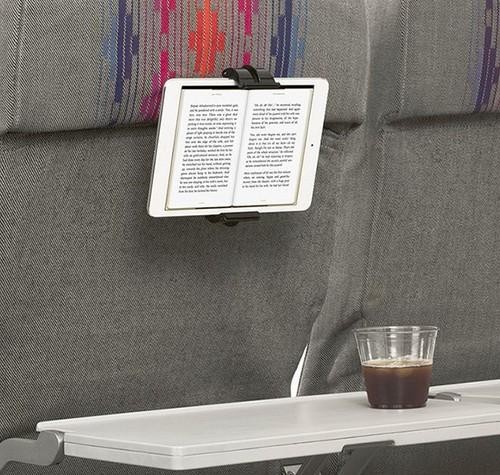
2. An in-flight entertainment hack: I’m still surprised by the number of planes that haven’t moved into the 21st century when it comes to in-flight entertainment. Quit your whining. This device mounts your tablet/e-reader/smartphone on the back of the seat in front of you for easy viewing and reading. 
image
(Courtesy: Fancy.com)
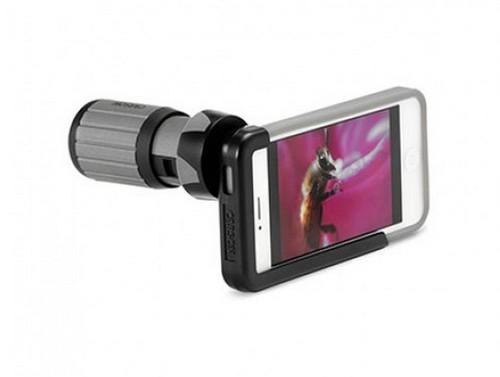
3. An iPhone telephoto lens: These days, most of us use our phone as our primary camera — often to our detriment. This handy lens puts your iPhone on steroids to provide sharper photo and video resolution. It is no substitute for the real thing, but it isn’t a bad hack if you don’t want to bring your pricey camera on a jaunt.
image
(Courtesy: Magellan’s)
4. The perfect travel adaptor: It may not be sexy, but this little bugger will save you both space and frustration. If you’re like me, you have a box somewhere in your house filled with unlabeled travel adaptors from about a dozen different countries. Now you can throw them away and put other things in that box (like orphaned power cords). This lightweight gadget is pretty much the only adaptor you will ever need — unless you are going to the moon.
image
(Courtesy: Monoprice)
5. A solar backpack: Sure, this bag is handy for backpacking, but it’s also great for bumming around a city. Having a power source on your back means you don’t need to scout for a coffee shop every time one of your devices conks out. Besides charging all your stuff, it has 1,500 cubic inches of storage space, a padded laptop sleeve, and an integrated phone pouch.
image
(Courtesy: Voltaic Systems)
6. Jawbone wristband: Keep track of how healthy you are on the road with this fitness band that tracks your activity level, nutrition, and sleep to help you make smarter choices while you are on the go. 
image
(Courtesy: Jawbone)
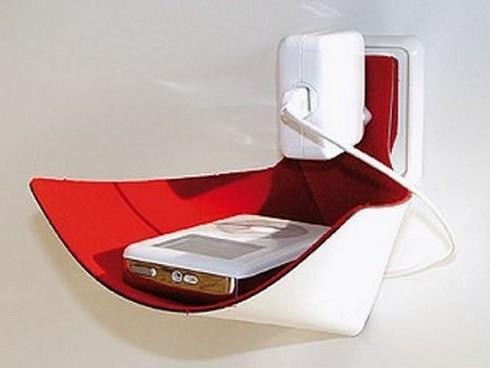
7. Electronics hammock: I am an outlet stalker. I will plug in anytime, anywhere, whether it is on the floor of the airport or a dirty bathroom in Cusco. My No. 1 concern isn’t that my device will be stolen (I stay close by), but that it will be stepped on. This adorable little German hammock will cuddle your phone and keep it safe.
image
(Courtesy: Fair-kaeuflich.DE) 
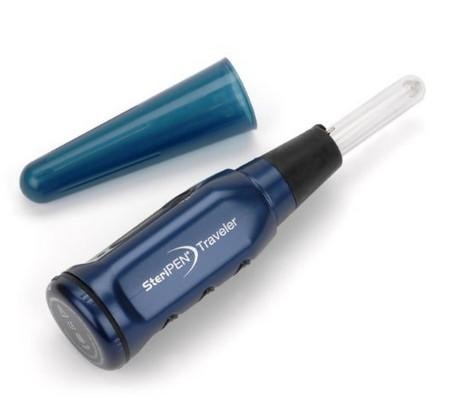
8. Sterilizer pen: In some countries it would behoove you to be wary of even the bottled water. In just seconds the UV light in this pen creates safe drinking water whenever you’re a little iffy about the H2O in a new country.
image
 (Courtesy: Steri-Pen)
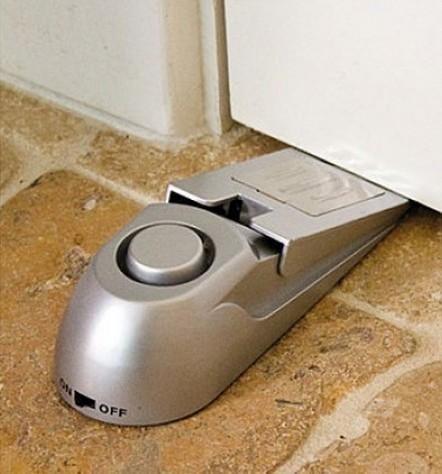
9. Doorstop alarm: How often have you looked at the flimsy lock on a motel/hostel/guest house door and thought, “I am going to be killed in my sleep”? This door wedge alarm will wake you up before an intruder can actually open your door — and odds are it will probably scare him off, too. 
image
(Courtesy: Magellan’s)

Microsoft; Release Date For Windows Phone 8.1 Announced

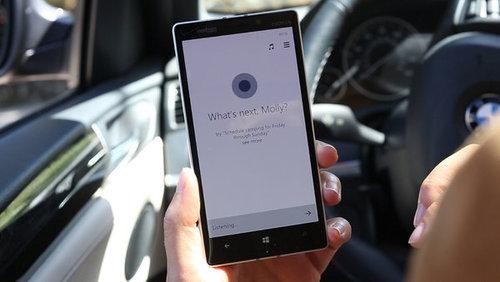
Microsoft Announces Release Date for Windows Phone 8.1 (and Its Siri Competitor)
Microsoft has finally announced when Windows Phone 8.1 will be available to Windows Phone users. The major operating system update will bring, among other things, the Cortana voice-based, Bing-powered virtual assistant. On its support pages, Microsoft lists June 24 as the release date for the Windows Phone 8.1 update, revealing that it will be supported for three years, until July 11, 2017.
“Microsoft will make updates available for the Operating System, including security updates, for a minimum of 36 months after the lifecycle start date,” Microsoft noted. “These updates will be incremental, with each update built on the update that preceded it. Customers need to install each update in order to remain supported. The distribution of these incremental updates may be controlled by the mobile operator or the phone manufacturer from which you purchased your phone, and installation will require that your phone have any prior updates. Update availability will also vary by country, region, and hardware capabilities.”
Windows Phone 8.1 was officially announced in early April at Microsoft’s Build conference, alongside new Nokia Lumia handsets that will launch with Windows Phone 8.1 on board. These videos highlight all the new features in Windows Phone 8.1, including the Cortana virtual assistant.

Home Quote Of The Day

“Heimat. The word mean home in German, the place where one was born. But the term also conveys a subtler nuance, a certain tenderness. One's Heimat is not merely a matter of geography; it is where one's heart lies. ” 
― Jenna Blum

Top 9 Most Expensive Headphones

Even if you’re not a self-professed audiophile, a funny thing happens when you don a pair of $1,500 headphones. You instantly turn into the world’s most ardent music lover. Old songs and albums require immediate revisiting. Those seminal works you grew up on? Definitely going to need some deeper listening. And god help your co-workers if you’re auditioning them in an office. You’ll be wanting to share all this enthusiasm and new-found musical nuance with them, too.
Indeed, there’s a certain magic inherent to premium headphones. While they all have their own unique strengths and musical biases, they also tend to impart a universal sense of immediacy and visceral impact to well-recorded music. All of a sudden, every squeak of the kick pedal is apparent, and you can perfectly visualize each instrument in space as it’s being plucked, strummed, or hit. In short, great headphones bring you into the recording studio or onstage during a performance.
It’s only after this high wears off (which, honestly, can take a few days) that your mind turns to the lavish construction and finer engineering details that have allowed for such a revelatory experience — things like large planar magnetic drivers and an open- or semi-open back design. And while you can quibble all day about sound quality, when it comes to materials, there’s no mistaking the line between a great-sounding $300 pair of headphones and a $1,500 flagship pair. Flimsy vinyl and cloth travel pouches give way to elaborate, hand-painted wood and metal briefcases; plastic yields to aged bog oak and laser-etched aluminum; and many of these sonic trophies even come with their own display stands.
What we’ve collected here is by no means the definitive list of world-class headphones. There are omissions like the legendary Sennheiser Orpheus, which comes with its own dedicated tube amplifier and today can go for as much as $30,000. We also left out acclaimed “earspeakers” from Stax — like the $4,450 SR-009, also widely considered to be one of the world’s best. Still, these nine kinds of headphones represent some of the biggest triumphs in audio engineering over the past 50 years, and they have the price tags to prove it. So without further ado, here’s more than $20K worth of pure audio wizardry.
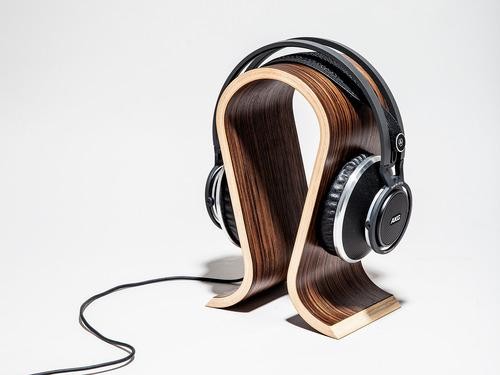
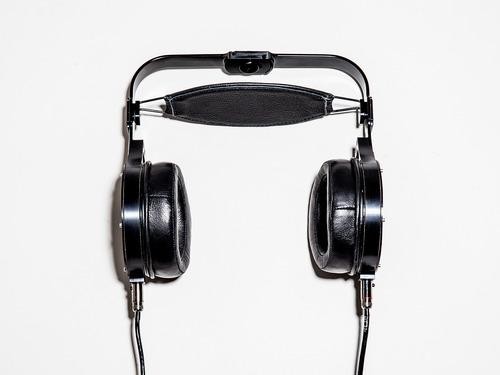
1. AKG’s new $1,990 open-backed flagship, the K812s, marry premium materials with precise sonic engineering.
Beats Your Heart Out: 9 of the World’s Most Outrageously Expensive Headphones
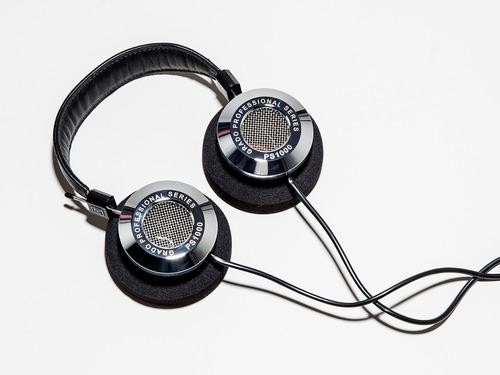
2. Proudly made in Brooklyn, the $1,700 PS1000s are the tippy-top of the Grado line, and thus the finest expression of the company’s signature airy, roomy sound. 
image
3. Like many of the headphones in this gallery, the $1,299 HiFiMAN HE-6s use planar magnetic drivers that are supremely thirsty. To showcase their true potential, you’ll need to plunk down an extra $500 to $2,000 for a quality amp to supply that voltage. NBD.
image
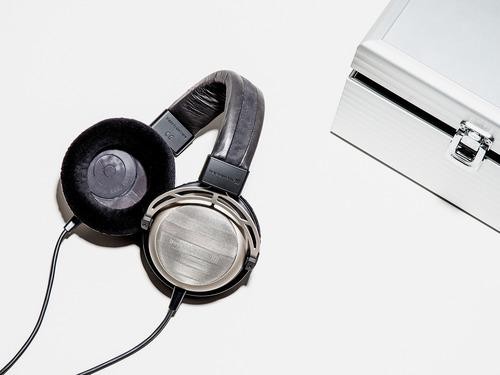
4. Like all of Beyerdynamic’s premium Tesla headphones, the $1,400 T1’s drivers are made with lightweight, and thus highly efficient, neodymium magnets.
image
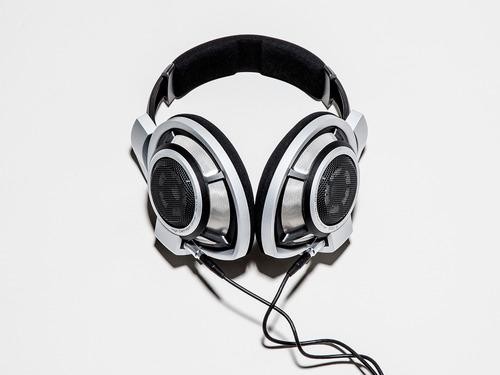
5. Ask any audiophile to name the best sounding headphone she has ever listened to, and the alphanumeric answer is likely to be the HD 800s.
image
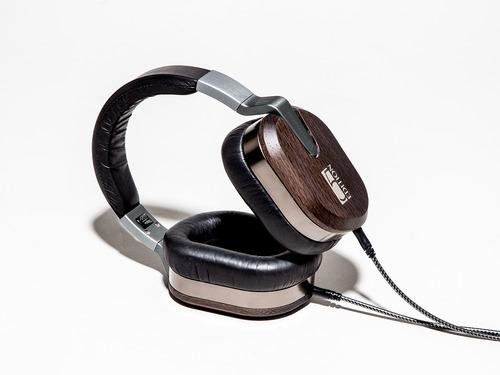
6. At a mere $5,000, the Edition 5 from Ultrasone are not the priciest headphones on our list. But these Bavarian beauty queens are certainly the most rare — only 555 have been manufactured for sale.
image
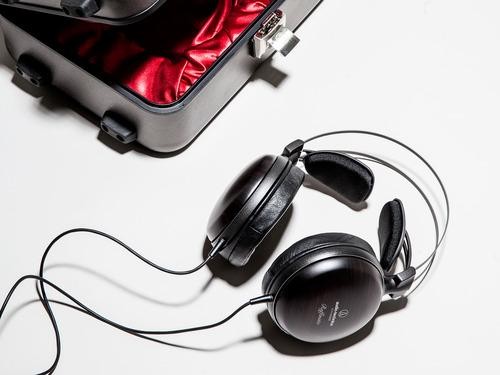
7. If the M50s are Audio-Technica’s $140 Crown Victoria, the W5000s are the company’s $1,200 Bentley.
image
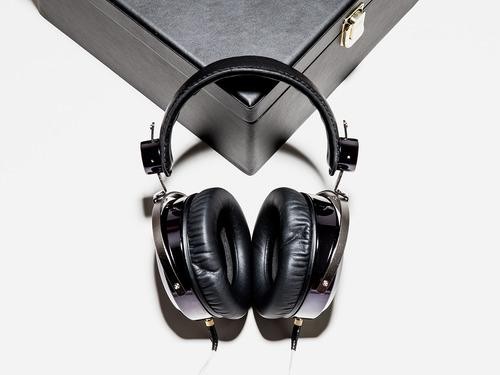
8. Another fixture in audiophile listening rooms around the world, the $1,945 Audeze LCD-3s are renowned for their tight, impactful bass and lush sound.
image
9. The Abyss AB-1266 holds two distinctions. First, at a wallet-wilting $5,495, they are the most expensive pair of headphones in this gallery. They’re also the only headphones that look like they could have been used as a Medieval torture device.
image
image

Wednesday, 7 May 2014

Dan Tynan's 5 Ways To Make Your WiFi Network Safer, Faster And More Reliable

Just bought a new WiFi router? Or maybe you have an old one you bought years ago, plugged in, and promptly forgot about. Either way, there are things you can do to control which devices access your network, keep drive-by hackers at bay, and boost the reliability and strength of your signal. The best part? They won’t cost you a dime.

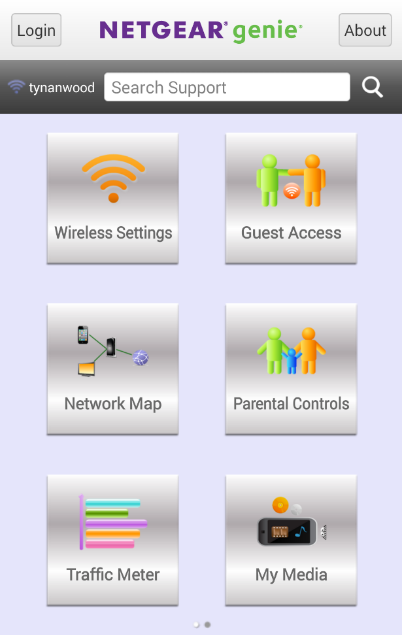
1. Get the app.Changing WiFi router settings is strictly a pastime for network engineers and other incurable geeks. Fortunately, most major routers come with free mobile applications and/or phone-friendly websites that make it easier to manage users and devices on your home network. Most let you set up guest networks for visitors, add parental controls, manage media files, and prioritize bandwidth so it goes to the devices that need it most — like the set-top box attached to your big-screen TV.
5 Ways to Make Your WiFi Network Safer, Faster, and More Reliable
Netgear’s Genie app puts control of your home network in your pocket.

Some, like PowerCloud’s Web app or Netgear Genie, are both powerful and easy to use; others are a total pain in the apps (Linksys Smart Wi-Fi, I’m talking to you). But generally speaking, it’s easier to use an app than typing your router’s IP address (192.168.1.x) into your browser and gnawing on obscure networking acronyms like “DHCP” or “DDNS.”

2. Lock it down.Control panels for new routers typically come with a default username (usually “admin” or blank) and password (often “password” or “admin”). You can usually find these settings inside the mobile app or via the router’s Web interface; look for settings labeled “Wireless Security.”
Change your username and password to something less brain-dead, and then write the new ones down on a sticky note attached to the bottom of the router. If you’re worried about internal security threats — if, say, there are teenagers in the house — you’ll probably want to keep it in your wallet or desk.
Otherwise, any malicious geek within range of the router can gain complete control over your network, lock you out of it, and make your life a living hell. If that does happen (or you forget your admin log-on) you can usually press a button on the router to do a factory reset and start over.

3. Change the name.You’ve switched up the username and the password on the panel that lets you control your Internet; now you’ll want to do the same for the public-facing WiFi itself.
You’ll want to change your network’s service set identifier (SSID), better known to normal humans as its name, from the default setting, typically the name of the manufacturer. For added security, you can tell your router to not broadcast the name, so that strangers won’t be able to find it. The downside? Every time you want to add a new device to your network, you’ll have to type in the SSID yourself (so write it down on that Post-it along with your admin log-on).

4. Pick a password.Wait, you’re not done. You also want to encrypt the traffic flowing across your network to keep random strangers from freeloading on your WiFi network or, worse, using a network sniffer or packet analyzer to capture your data as it comes beaming out of the router. Some routers come with preset passwords; if yours does, you’ll want to change the default. If it doesn’t, you’ll need to add one.
image
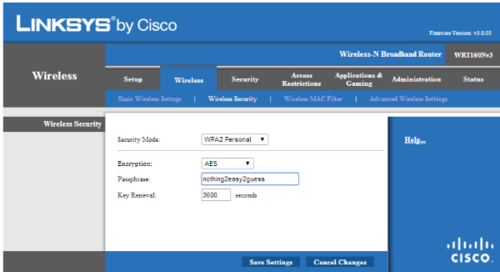
All WiFi routers let you choose a strong password, using a mobile app or a Web interface like this one from Linksys.

You’ll have a choice of password type; choose WPA/WPA2 Personal and AES encryption. No need to burn brain cells wondering these things mean; just pick them and move on. If you can manage it, choose a password that is inscrutable yet memorable, and not too painful to type using a TV remote or onscreen keyboard (because you may be doing that a lot).

5. Boost the signal.WiFi signals are mysterious and unpredictable things. Their strength will vary depending on the building materials inside your home, interference from other devices, the movements of people inside the room and, sometimes it seems, the phases of the moon.
Generally speaking, you’ll get more reliable coverage using devices that live inside the 5 GHz spectrum, because there’s less interference. The newest 802.11ac routers also tend to have a bit more range because they use something called beamforming to send signals directly to devices instead of in all directions at once, notes Vijay Nagarajan, director of mobile computing wireless connectivity for chipmaker Broadcom.
image
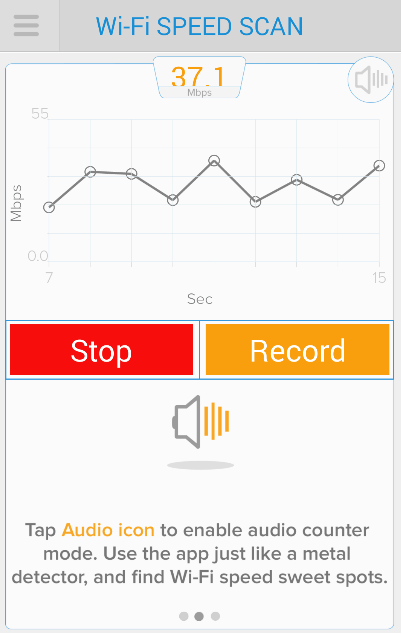
Assia’s free Cloudcheck app lets you map out where the WiFi signals are strongest in any room of your house.

Still, where you put your router will have a significant impact on whether the WiFi signal goes where you want it to — like the rec room downstairs or your bedroom upstairs. A high shelf, centrally located in your home and away from other electronics, is usually the best place to put one. Assia’s Cloudcheck mobile app can measure your WiFi speeds as you walk around your house and help you map the dead spots, letting you experiment to find the best place for your router.

Home Quote Of The Day

“This house sheltered us, we spoke, we loved within those walls. That was yesterday. To-day we pass on, we see it no more, and we are different, changed in some infinitesimal way. We can never be quite the same again.”
― Daphne du Maurier, Rebecca

Nokia Shifts Focus To Cars


Nokia has announced that it will invest $100 million into companies and products that will be important to the “connected and intelligent vehicles” of the future. The new venture capital fund will seek to invest in (among other things) the mapping and location services that have become a big part of the cellphone maker’s business.

Nokia itself has been heavily focused on location services since 2008, when it purchased map provider NAVTEQ. It also acquired the 3D map technology company earthmine in 2012. Currently, Nokia provides map data to Amazon, Microsoft, Yahoo, and several car navigation systems.

Rajeev Suri, Nokia president and CEO, believes that the “connected car” market will bring significant growth and a solid return on investment. Considering that the company is pouring $100 million into this venture fund, Nokia had better hope people like smart cars more than they like Smart Cars. 

Paul Asel, partner at Nokia Growth Partners (which will manage the fund), said, “For the last few years there has been a surge in innovation that has brought technological advances leading to safer, cleaner, increasingly connected, intelligent, and more affordable vehicles. Vehicles are becoming a new platform for technology adoption very similar to phones or tablets.” Asel plans to lead the venture fund by investing in companies that specialize in auto ecosystems, local services and personal mobility. 

The connected vehicle market is heating up, as Nokia will be up against the likes of Google and Apple. Google is already working with car manufacturers to integrate the Android operating system into dashboards, not to mention its extensive work on self-driving vehicles. Apple has CarPlay, available in select 2014 car models, which offers the iOS experience on your dash. Because Google and Nokia both have mammoth location systems in their portfolios, it is likely they will go head to head on a location services feature in the future.